Time tracking and invoicing
By the Billebly team · Published 18 August 2026 · Last updated 26 August 2026
The usual gap between time tracking and invoicing is a rebuilt timesheet: hours logged in one tool, then copied by hand into an invoice in another. Billebly keeps both in the same place, so tracked time becomes billable line items without the copying step.
How it fits together
- Start a live timer against a project, or log hours after the fact, as you work through the month
- Mark a session non-billable (internal admin time, a favor for a client) to keep it off invoices entirely
- When it's time to bill, pull those logged, billable hours straight onto an invoice
- Mix tracked hours with flat line items on the same invoice, such as a project fee plus a few extra hours
- Send the invoice with a hosted payment link, so the client can pay online
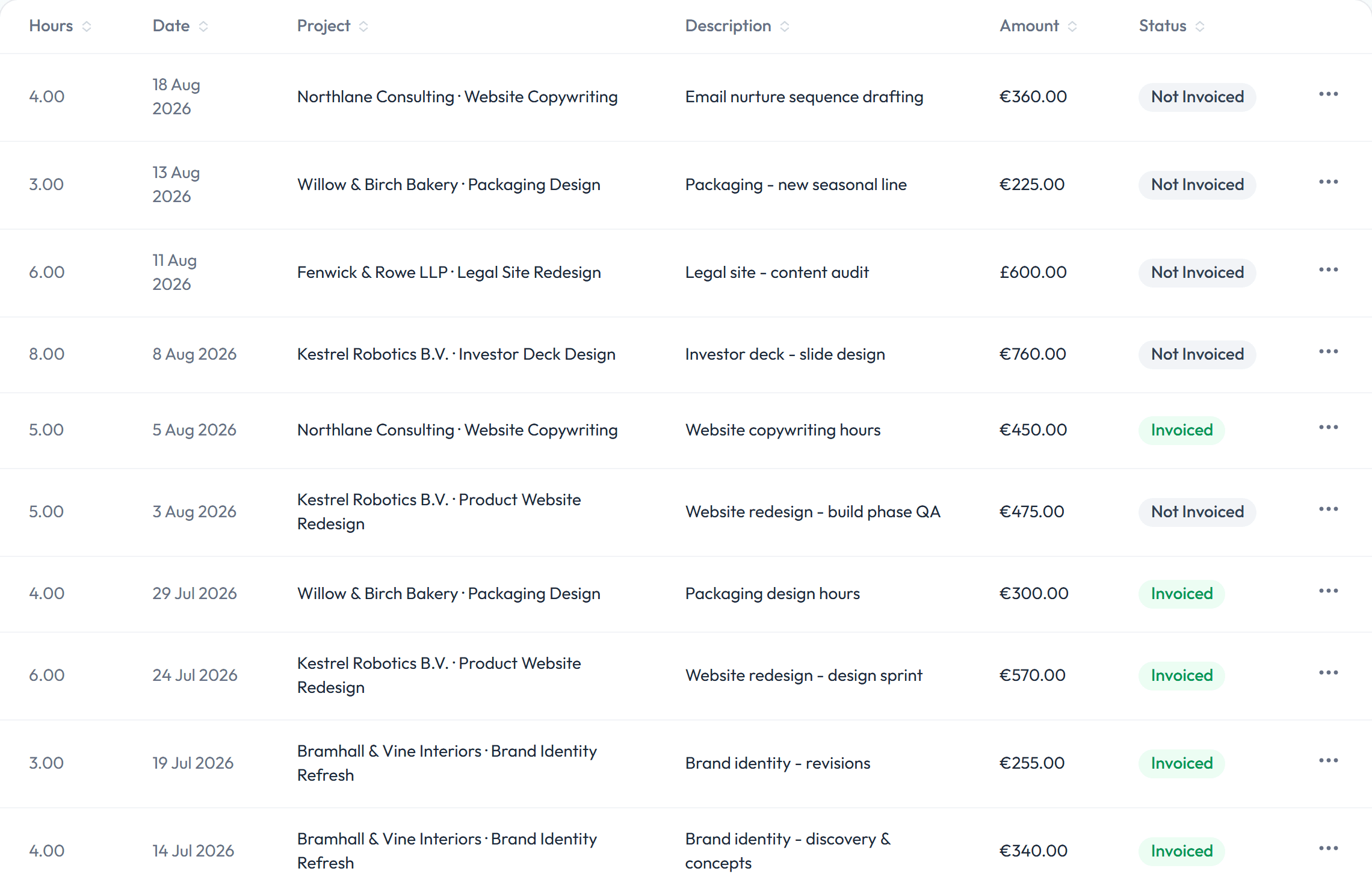
Why this matters
Rebuilding a timesheet at the end of the month is where hours quietly get lost: a session you forgot to note, a call you didn't log. Tracking time in the same place you invoice from means every logged hour is already sitting there, ready to bill, instead of relying on memory or a separate spreadsheet.
Getting started
Time tracking and invoicing are both part of Billebly's free core product. There's no separate tracking add-on or plan tier to unlock it. A small 0.5% fee applies only to payments actually processed through the platform.