Recurring invoices for freelancers
By the Billebly team · Published 18 August 2026 · Last updated 23 August 2026
Retainer clients and ongoing subscriptions shouldn't mean recreating the same invoice by hand every month. Billebly lets you set an invoice to repeat on a schedule (weekly, monthly, or whatever cadence fits the arrangement) and it goes out on its own from then on.
How recurring invoices work
- Set up the invoice once, with the same line items and amount each cycle
- Choose how often it repeats and when the first one goes out
- It's sent to the client automatically on schedule, with a hosted payment link
- If the client has a saved payment method, the charge can go through automatically too
- Pause or stop it any time the arrangement changes, without losing the history
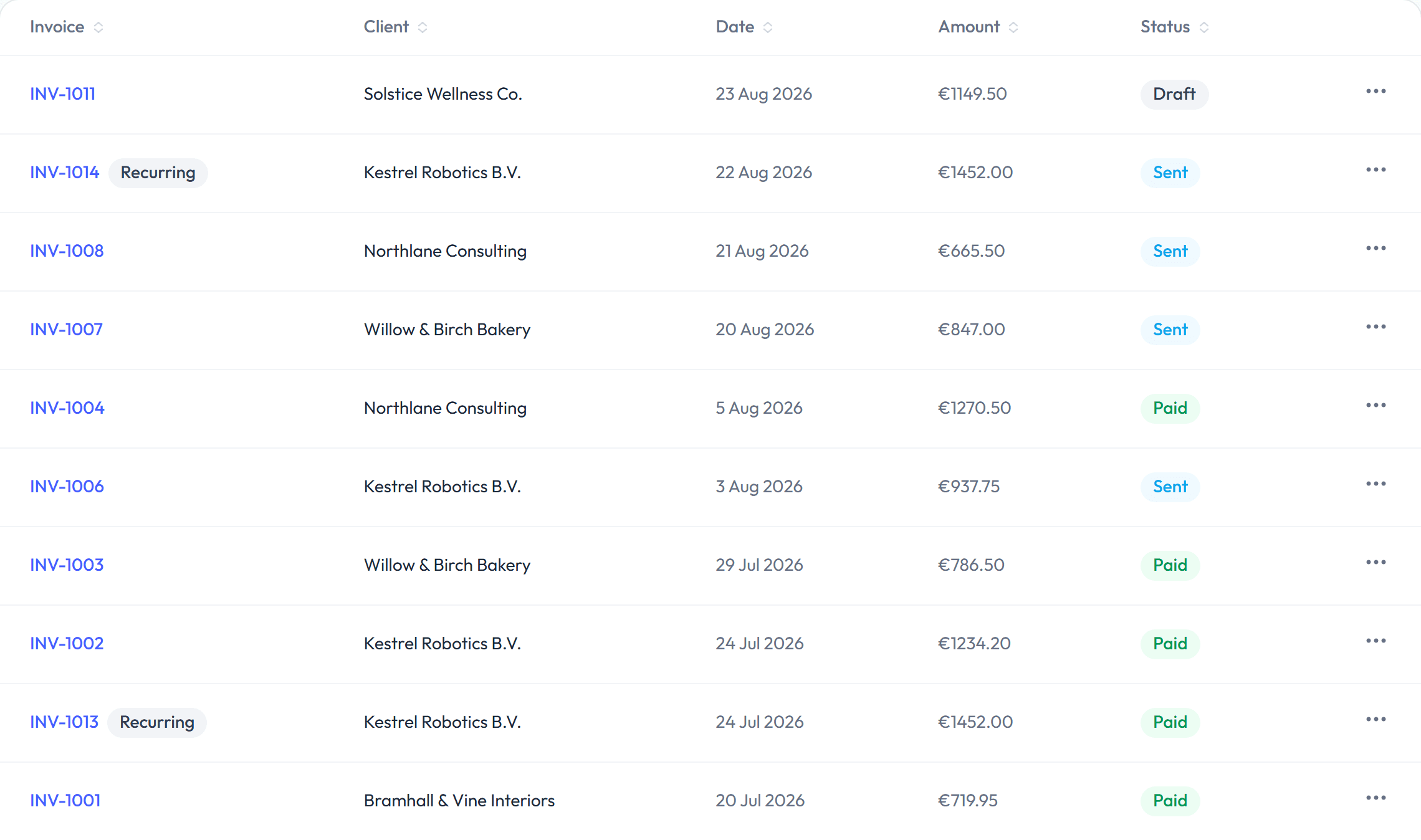
Where it fits
- Monthly retainers: a fixed amount for ongoing availability or a set number of hours
- Subscriptions: a recurring service billed on the same schedule every cycle
- Maintenance contracts: a smaller recurring fee alongside occasional one-off project invoices for the same client
Recurring and one-off invoices for the same client live under one record, so a retainer and an occasional extra project don't need separate tracking.
Getting started
Recurring billing is part of Billebly's free core product, not a separate add-on. The same 0.5% fee applies to processed payments whether an invoice is one-off or recurring, and nothing changes if a client pays you outside the platform.