Invoice and payment software
By the Billebly team · Published 18 August 2026 · Last updated 24 August 2026
Sending an invoice and actually getting paid are often handled by separate tools: an invoice emailed as a PDF, then a payment collected somewhere else entirely, if it's tracked at all. Billebly combines both: every invoice carries a hosted payment link, and the payment status updates automatically once the client pays.
What's included
- Invoices with line items, discounts, tax, and a shareable payment link
- Support for cards, bank methods (iDEAL, Bancontact, SEPA and BACS Direct Debit), Klarna, Apple Pay, Google Pay, Amazon Pay, Revolut Pay, BLIK, EPS, US bank transfers (ACH), and more
- A dashboard showing what's paid, pending, or overdue across every client
- Recurring invoices that get sent and charged automatically on schedule
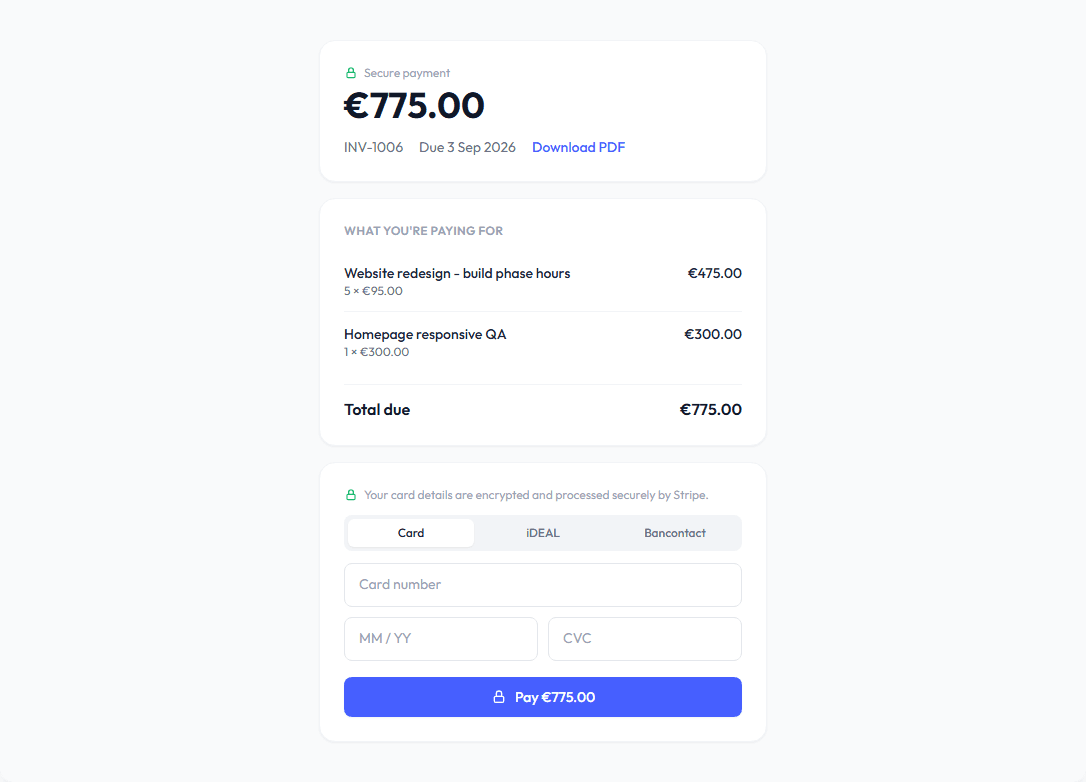
Why combine them
A client is more likely to pay quickly when the invoice email itself contains a way to pay, rather than a PDF they have to act on separately. And because the payment runs through the same platform as the invoice, you're not stuck manually reconciling which invoices actually got paid.
What it costs
You choose which payment methods to turn on in Settings, and each carries its own processing rate. On top of that, Billebly takes a flat 0.5% platform fee on payments processed through the platform. The invoicing and dashboard themselves are free, with no subscription.