Donation links with a QR code
By the Billebly team · Published 22 October 2026
An invoice is meant to be paid once, by one client. Donations work the other way around: one link, shared as widely as possible, that anyone can use as often as they like. Billebly's donation links turn a payment link into exactly that, with its own link and QR code you can print, share, or put on your website.
How donation links work
- Switch on the free Donation links addon from the Addons page in the app
- Create as many donation links as you need, each with its own title, description, and currency
- Set a few suggested amounts; donors can pick one or enter their own (minimum 1.00)
- Add an optional fundraising goal, shown on the donation page as a progress bar
- Copy the link or download its QR code to print or place on your own site
- The link doesn't expire: it keeps accepting donations until you switch it off
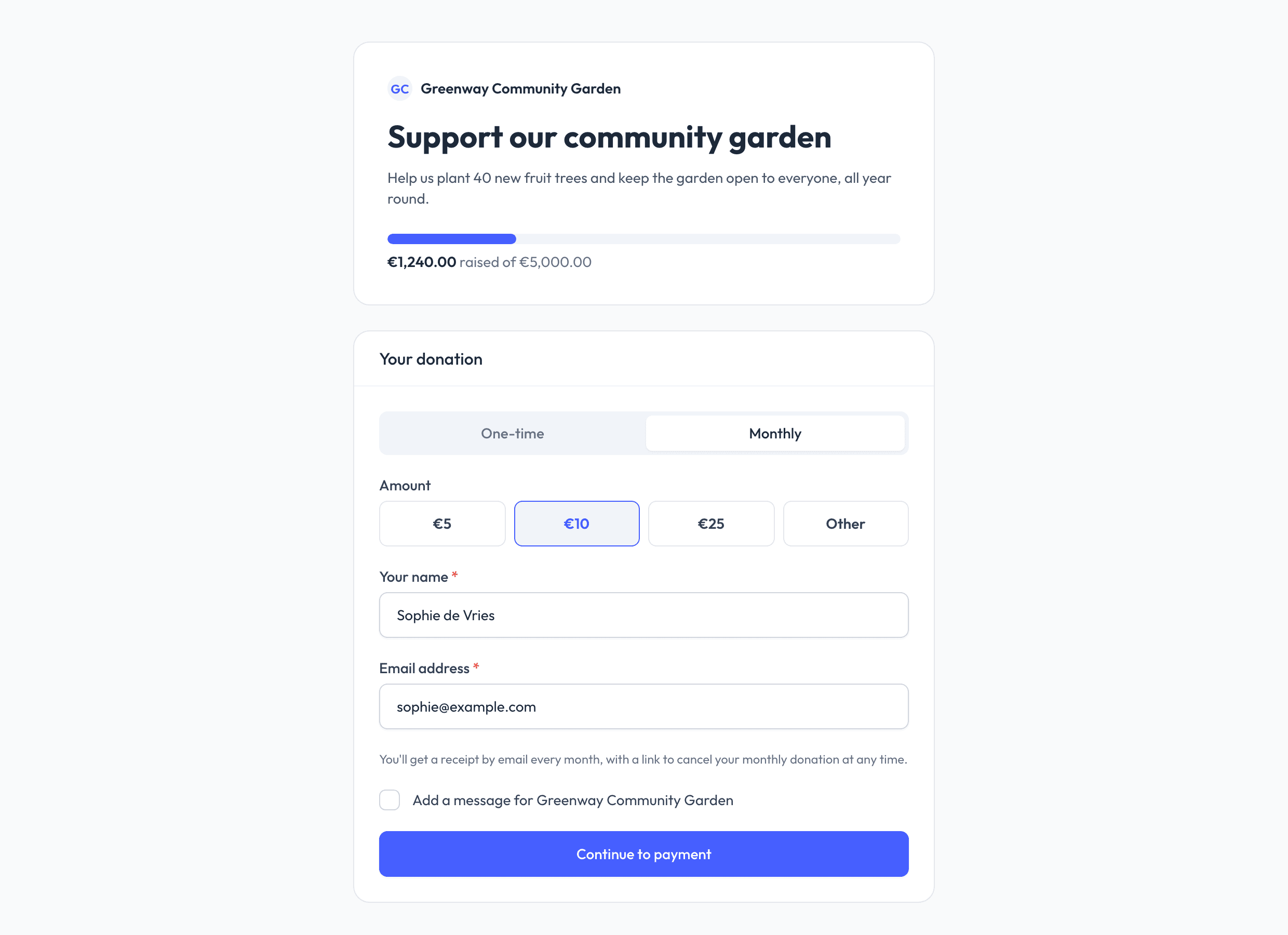
One-time or monthly
Donors choose whether to give once or every month. For a one-time donation, only an email address is needed to pay; a name and a short message to you are optional, and donors who skip their name show up as anonymous. A monthly donation needs a name and email, and is charged automatically each month by card, SEPA Direct Debit, US bank account, or BACS Debit. Monthly donors can cancel anytime from the link in their email.
Receipts and follow-up
- Donors who ask for a receipt get one by email, with a PDF attached (monthly donors always do)
- You're notified when a donation comes in, including any message the donor left
- Refund a donation from the app, in full or in part, just like an invoice payment
- On Premium, your logo, brand color and font appear on the donation page and receipts
Donation receipts don't include a VAT line. Whether a donation is taxable, and what a donor's receipt needs to say for any tax deduction, depends on your situation and local rules, so check those before you start collecting.
What it costs
Donation links are a free addon, not a separate subscription. The same platform fee applies as for any payment processed through Billebly: 0.5% on the free plan, or 0.2% on Premium, plus the payment method's own processing fee. Like on invoices, you choose in Settings whether you cover Billebly's fee or pass it on to the donor as a separate line at checkout.
Collecting donations is covered by our acceptable use policy: only for your own business or organisation, and never on behalf of someone else.